# ios quantumult Shadowrocket

## quantumult 俗称quan(非国区商店才有) <a href="#quan" id="quan"></a>

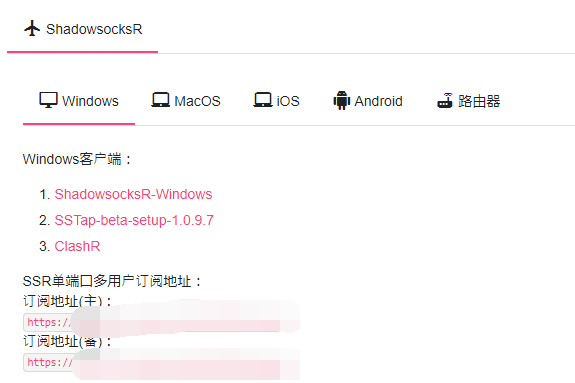
<div align="left"><img src="/files/-M6hXYF-rj0XjV_LGOKU" alt="订阅地址 主备随便选一个即可"></div>

![来自 https://love-kdrama.com/vpn-app-quantumult/](/files/-ML8_e3T8OCfcFg6Jeim)

### 1.首先 点击上图位置 然后->订阅->服务器 (url/链接)填入ssr订阅地址 名称随意 保存后左滑更新 <a href="#quan1" id="quan1"></a>

### 2.添加分流规则 订阅-分流-链接填入 <https://raw.nameless13.com/api/public/dl/Z5bKMrAj/quantumult.conf>名称随意 个性化打勾 然后保存  最后左滑替换 直接保存即可 <a href="#quan2" id="quan2"></a>

### 隐藏vpn图标 更多- 附加功能- 打开 Exclude Routers 0/31 重启app <a href="#quan3" id="quan3"></a>

## Shadowrocket 俗称小火箭(非国区商店才有) <a href="#ket" id="ket"></a>

<div align="left"><img src="/files/-M6hXdgG-NLURH6odz8a" alt="订阅地址 主备随便选一个即可"></div>

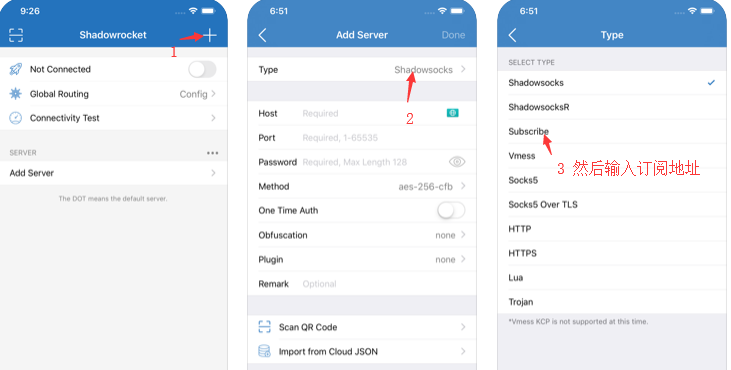
### 1.订阅节点 ~~添加完左滑有更新~~   最新版是右滑直接更新了 <a href="#ket1" id="ket1"></a>

<div align="left"><img src="/files/-M-OscUqjeO-cxmjifxZ" alt="最好关闭的状态订阅"></div>

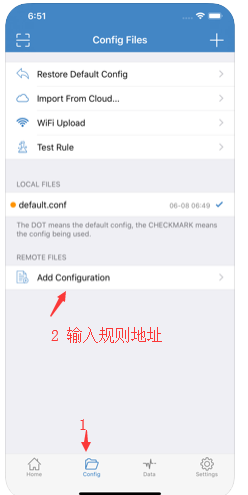
### 2.添加分流规则让国内直连国外才走代理 <a href="#ket2" id="ket2"></a>

<div align="left"><img src="/files/-M-OtDAQ6yjnNoKVhwS0" alt="替换默认规则"></div>

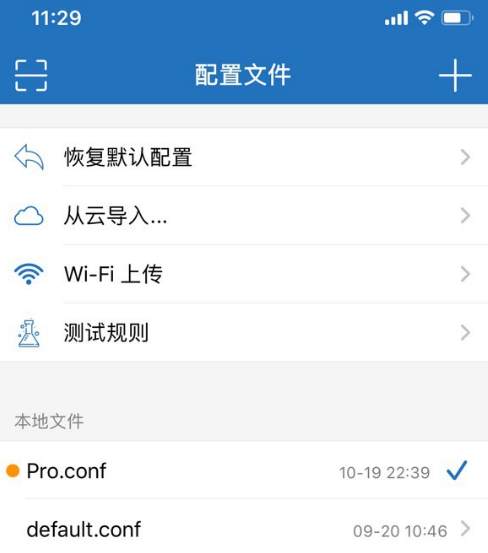
3\. 点击刚刚添加的远程配置 选择使用配置  新加入的配置前面有黄点就代表正在使用了

规则地址 <https://raw.nameless13.com/api/public/dl/9LfQUO6T/Shadowrocket.conf> 也可以自己用适合的

<div align="left"><img src="/files/-M2K6Ii-Uz_NRfoPKqfJ" alt="这样才代表使用了配置"></div>

## quantumultx quanx(非国区商店才有版本号红色的是被识别为盗版不能使用) <a href="#quanx" id="quanx"></a>

**复制订阅使用** [**http://api.nameless13.com**](https://api.nameless13.com) **转换quanx的订阅添加就可以了 客户端选 quanx 远程配置根据需求其他默认即可 已内置规则策略**

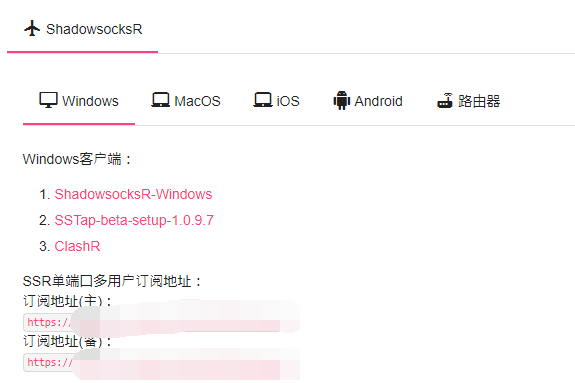
![点击右上角来添加地址](/files/-M9rQrpGw_12_gvUCkH7)


---

# Agent Instructions: Querying This Documentation

If you need additional information that is not directly available in this page, you can query the documentation dynamically by asking a question.

Perform an HTTP GET request on the current page URL with the `ask` query parameter:

```
GET https://docs.nameless13.com/ios.md?ask=<question>
```

The question should be specific, self-contained, and written in natural language.
The response will contain a direct answer to the question and relevant excerpts and sources from the documentation.

Use this mechanism when the answer is not explicitly present in the current page, you need clarification or additional context, or you want to retrieve related documentation sections.